Calendar Pre-Registration: Turn Every Meeting Into a One-Tap Check-In

Pre-registration has always been the fastest way to get a guest through your front desk. Today it gets faster still: WelcomeDesk now reads your team's calendars and registers visitors for you.
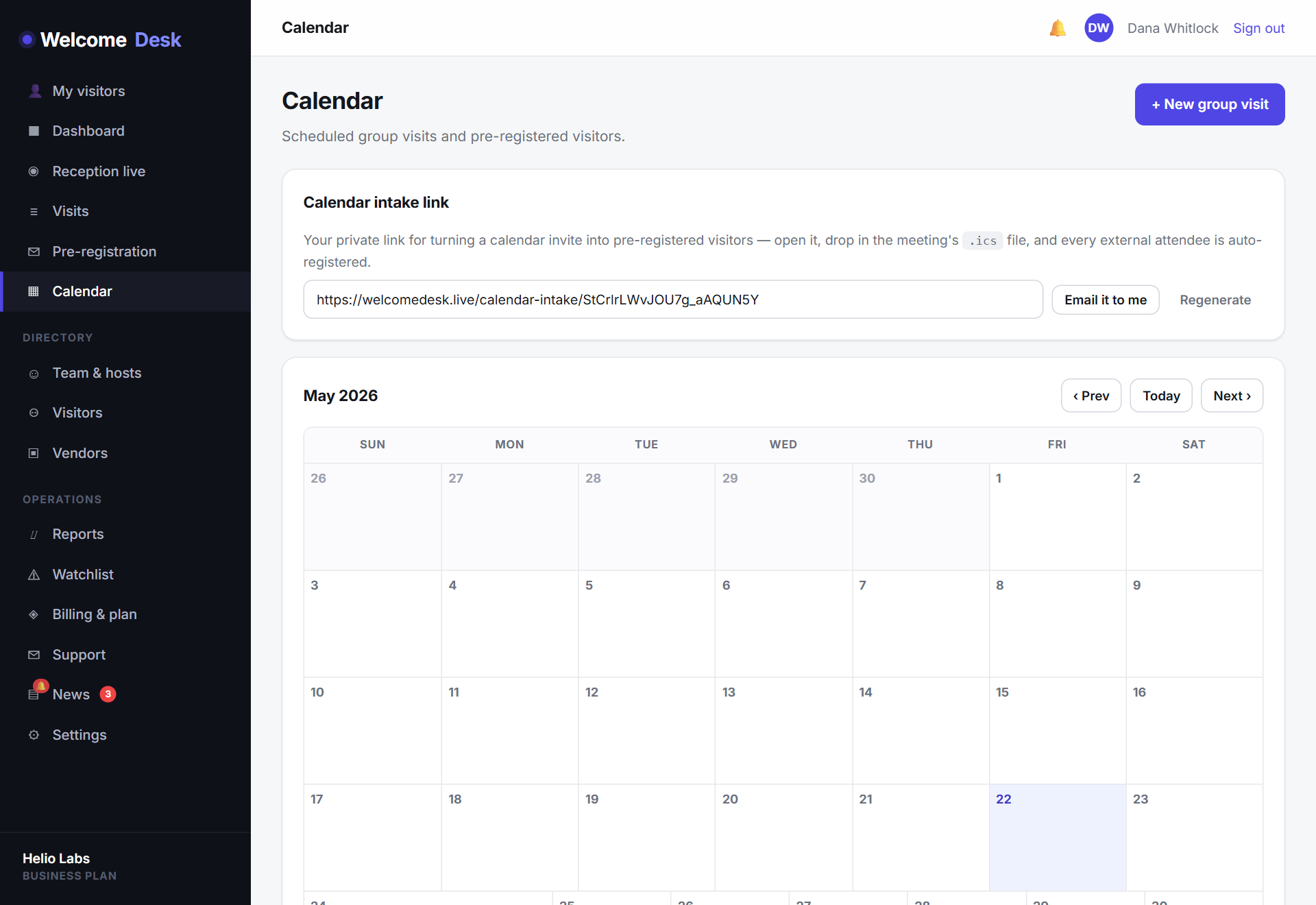
Your calendar already knows who's coming
Every external meeting in Google Calendar or Outlook is a visitor waiting to be registered. Until now, someone had to copy those names into WelcomeDesk by hand. That step is gone.
Connect a calendar once from Settings → Calendar, and WelcomeDesk watches it for new events. When it spots an attendee whose email domain doesn't match your workspace, it recognises an outside guest and pre-registers them against the meeting, with host, date and time included.
Guests arrive to a one-tap check-in
A pre-registered guest doesn't fill in a form at the door. Their name is already waiting on the kiosk: they tap it, confirm, and they're in. The host is notified the moment they arrive, and the visit lands in your audit log like any other check-in.
Workspaces that prefer a human in the loop can keep one: you decide whether calendar guests are registered automatically or held for a host to approve.
Group pre-registration for bigger meetings
Board meetings, interview panels and supplier reviews rarely involve a single guest. The new group pre-registration flow lets a host register an entire party at once. Everyone shares an arrival window, and the front desk sees them grouped together rather than scattered through the day's list.
See the week ahead at a glance
The dashboard gains a month calendar view. Instead of a flat list, expected visitors are laid out by day, so a receptionist can see Thursday's three interviews and Friday's contractor visit without scrolling. Click any day to drill into who's due.
Getting started
- Open Settings → Calendar and connect Google Calendar or Microsoft Outlook.
- Choose whether external attendees are auto-registered or held for host confirmation.
- That's it. The next meeting you book with an outside guest is pre-registered for you.
Calendar pre-registration is available now on all plans, including during the 14-day trial. The month calendar view is live in the dashboard with no setup required; just connect a calendar from Settings. If your team runs on Google Workspace or Microsoft 365, this is probably the feature worth demoing first.
See WelcomeDesk at your front desk
Browser-based visitor management, one price for every office. Free for 14 days.
Start your free trial